Controlling BRmesh Lights with Home Assistant and ESPHome
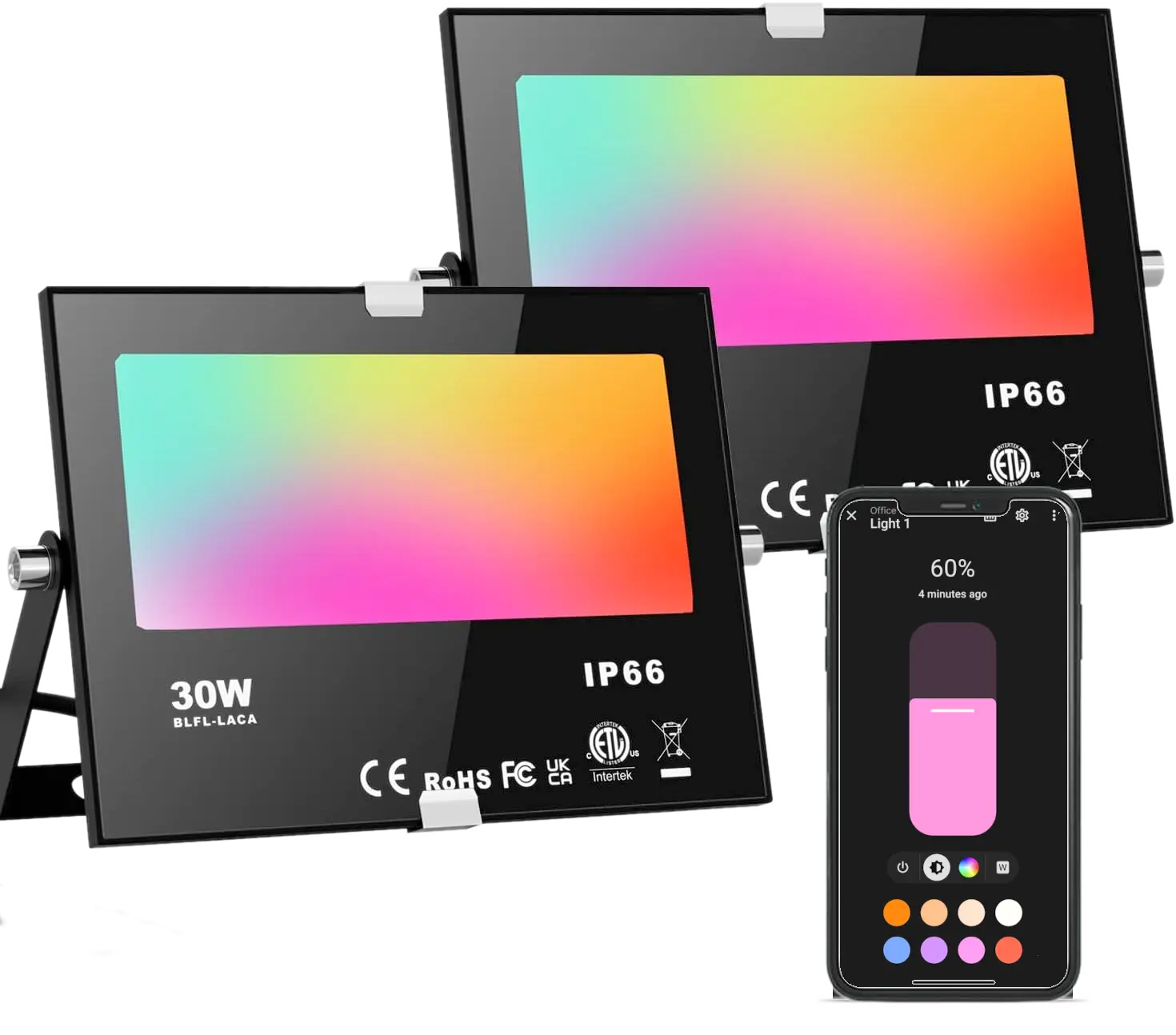
I bought some Bluetooth enabled LED lights a while ago that use the BRmesh app to control them. I was hoping I could easily add them to my Home Assistant, but it took a bit more effort than I originally anticipated.
BRmesh is based on the Broadlink Fastcon BLE protocol. Control messages are sent exclusively via BLE broadcast advertisements, rather than via BLE GATT connections that are typically used for structured, bidirectional data exchange with devices.
My initial attempts to connect to the lights directly from Linux proved fruitless as the regular bluetooth tools/libraries like bluez don’t seem to provide the low level control needed.
Fortunately there’s been a community of folks that have created several ESP32 based tools with varying capabilities for integrating BRmesh with Home Assistant and MQTT. I had tried a few of these a while ago but with limited success, getting the lights to occasionally to turn on, but not reliably.
Looking into it again this week I found a recent fork of dennispg/esphome-fastcon by brett-todd with a dev branch that adds cold white/warm white support, and to my surprise, and delight, I was able to get it working with my lights, mostly. I could turn the lights on an off and change colors, but couldn’t control the white LEDs, and color change transitions where slow and unreliable.
The specific lights I have are the ChangeM Bluetooth Mesh Outdoor Floodlight I picked up on Amazon. These lights have RGB and white LEDs, but not the cold white/warm combo, and are also limited in that the RGB and white LEDs can’t both be on at the same time. ESPHome does support for this type of RGBW with the Color Interlock setting. So with a little AI assisted coding I created my own fork of the folk - scross01/esphome-fastcon (changes are on the dev branch) and with some additional parameter tuning and trial and error I now have full control of my BRmesh lights from Home Assistant.
I’ve been testing with both a ESP32 DevkitC V4 and a ESP32-C3 SuperMini. The ESP32-C3 is only single core so it struggles sending all the messages needed for color transitions. Here is a fragment of the tuned config for the DevkitC V4. See the notes below for additional details.
esp32_ble_tracker:
esp32_ble_server:

# BRmesh
external_components:
# - source: github://dennispg/esphome-fastcon@main   # original
# - source: github://brett-todd/esphome-fastcon@dev  # adds supports_cwww
  - source: github://scross01/esphome-fastcon@dev    # adds color_interlock

# Controller configuration
fastcon:
  mesh_key: "12345678" # Your mesh key in hex format

  # Optional parameters to control the advertisdement protocol:
  adv_interval_min: 160  # Minimum advertisement interval
  adv_interval_max: 160  # Maximum advertisement interval
  adv_duration: 20       # Advertisement duration in milliseconds
  adv_gap: 5             # Gap between advertisements in milliseconds
  max_queue_size: 100    # Maximum number of queued commands

# Light configuration (add an entry for each light)
light:
  - platform: fastcon
    id: light_1
    name: "Light 1"
    light_id: 1                    # ID of the light (1-255)
    color_interlock: True          # separate color and white controls
    supports_cwww: False
    default_transition_length: 0s  # disable color transition
Settings details
mesh_key - you need to get the mesh key from the BRmesh application on an android device connected to your computer using adb.
adb logcat | { grep -m 1 -o 'jyq_helper: .* payload:.\{24\},[[:space:]]*key:[[:space:]]*.\{8\}' | awk '{print $NF}'; kill -2 $(pgrep -P $$ adb); }

123456768
color_interlock - this is the new setting added in scross01/esphome-fastcon. Set to True for RGBW lights with indepeendent color and white controls.
supports_cwww - this is the setting added in brett-todd/esphome-fastcon for devices with cold white and warm white LEDs. I can’t vouch for if this mode actually works as I don’t have any cwww BRmesh lights.
default_transition_length - I suggest setting this to 0s. By default the ESPhome light control fades any color change from the current color to the target color which causes a few issues. Firstly the fastcon protocol sends each intermediate color changes as a separate control message to the light, the variability and reliability of sending all these BLE messages can lead to a rather jittery transition that is very noticeable on slower and single core ESP devices. Secondly BRmesh does not report the current status of the device, so if the color was changed from the App, or the ESP device is restarted it doesn’t know the correct starting color. This leads to the situations there the transition first jumps to the wrong color before fading the right color. If you want to retain the color transitions then tuning the adv_duration and adv_gap settings can help.
adv_interval_min and adv_interval_max - set both to 160. The Android app uses the ADVERTISE_MODE_LOW_LATENCY setting, which corresponds to a 100ms advertising interval. The ESP32 advertising interval is configured in units of 0.625ms. To achieve a 100ms interval, you need to set the values to 160 (since 160 * 0.625ms = 100ms). Setting both min and max to the same value creates a fixed advertising interval.
adv_duration: duration for advertising commands, Default is 3000ms. Setting to a much smaller value allows delayed messages to be skipped to help color transition complete and avoids the message queue filling up. Going to low causes problems with regular messages getting dropped. On the DevkitC V4 I could se this down as low as 20ms and get and smooth color transitions. On the C3 Super Mini going lower than 100ms caused reliability issues.
adv_gap - the delay in milliseconds between the end of one command’s advertisement and the start of the next command’s advertisement from the queue. Default value is 10ms. Reducing this value helps smooth transitions, you need to allow time for other tasks between sending BLE commands to ensuring the device remains responsive. 5ms works well. I could go down to 1ms on the DevkitC V4 that is only being used as a BRmesh controller. Do not set to 0.
max_queue_size - sets the maximum number of commands that can be held in the queue waiting to be sent. If the queue is full, any new commands are dropped. This is particularly relevant for light effects, which can generate a large number of state changes in a short time. The default value is 100. This is a should be sufficient for most applications. You should only consider increasing this value if you see “Command queue full” warnings.
References
- BRmesh app bluetooth lights discussion thread on the Home Assistant community forum.
- dennispg/esphome-fastcon
- brett-todd/esphome-fastcon (see
devbranch) - scross01/esphome-fastcon: (see
devbranch)